mirror of
https://github.com/outbackdingo/Hardware-Sniffer.git
synced 2026-01-27 10:19:09 +00:00

105 lines
4.8 KiB
Markdown
Executable File
105 lines
4.8 KiB
Markdown
Executable File
<br/>
|
||
<div align="center">
|
||
<h3 align="center">Hardware Sniffer</h3>
|
||
|
||
<p align="center">
|
||
It's a crucial component of the <a href="https://github.com/lzhoang2801/OpCore-Simplify">OpCore Simplify</a> project, it plays an essential role in simplifying and automating the process of collecting and analyzing hardware data. The name emphasizes its function of "sniffing out" all relevant hardware details to provide a comprehensive overview of the system's components.
|
||
<br />
|
||
<br />
|
||
<a href="#-features">Features</a> •
|
||
<a href="#-qa">Q&A</a> •
|
||
<a href="#-how-to-use">How To Use</a> •
|
||
<a href="#-contributing">Contributing</a> •
|
||
<a href="#-license">License</a> •
|
||
<a href="#-credits">Credits</a> •
|
||
<a href="#-contact">Contact</a>
|
||
</p>
|
||
</div>
|
||
|
||
> [!NOTE]
|
||
> This project is signed to ensure security and trustworthiness.
|
||
|
||
<details>
|
||
<summary>Table of Contents</summary>
|
||
<ol>
|
||
<li><a href="#-features">Features</a></li>
|
||
<li><a href="#-qa">Q&A</a></li>
|
||
<li><a href="#-how-to-use">How To Use</a></li>
|
||
<li><a href="#-contributing">Contributing</a></li>
|
||
<li><a href="#-license">License</a></li>
|
||
<li><a href="#-credits">Credits</a></li>
|
||
<li><a href="#-contact">Contact</a></li>
|
||
</ol>
|
||
</details>
|
||
|
||
---
|
||
|
||
## ✨ **Features**
|
||
|
||
- **Comprehensive Hardware Collection**:
|
||
- Extracts information about your motherboard, CPU, GPU, monitor, network adapters, audio devices, USB controllers, input devices, storage controllers, biometric sensors, Bluetooth, SD controllers, and system devices using the WMI command-line (WMIC) utility.
|
||
|
||
- **Innovative Detection Techniques**:
|
||
- 📌 **Motherboard Chipset Identification**: Uses PCI Device details for accurate Intel chipset recognition.
|
||
- 📌 **CPU Codename Recognition**: Identifies the CPU codename through "Family x Model x Stepping x" without querying Intel ARK or AMD websites.
|
||
- 📌 **GPU Codename Recognition**: Determines the GPU codename using the device ID.
|
||
- 📌 **Input Device Connection Type**: Identifies input devices (e.g., touchpad, touchscreen) connection type (i2c, PS2, SMBus, USB).
|
||
|
||
## ❓ **Q&A**
|
||
|
||
- **Support for macOS and Linux?**
|
||
- **macOS**: ❌ No. Due to potential inaccuracies caused by Hackintosh modifications, we cannot guarantee accurate information.
|
||
- **Linux**: 🔄 Work in progress in branch [add-linux-support](https://github.com/lzhoang2801/Hardware-Sniffer/tree/add-linux-support)
|
||
|
||
## 🚀 **How To Use**
|
||
|
||
1. **Download**: Head to the [Releases](https://github.com/lzhoang2801/Hardware-Sniffer/releases) tab of Hardware Sniffer and download the latest version.
|
||
|
||

|
||
|
||
2. **Launch**: Run `Hardware-Sniffer.exe`. The information gathering process might take a few moments.
|
||
|
||

|
||
|
||
3. **Main Menu**: Once data collection is complete, you’ll reach the main screen with three options:
|
||
|
||
- **T. Toggle Hardware Report View**: Switch between Short / Full view modes
|
||
- **H. Export Hardware Report**: Save the report in JSON format
|
||
- **A. Dump ACPI Tables**: Collect and save ACPI tables
|
||
|
||

|
||
|
||
4. **Use with OpCore Simplify**: Select the two options in order: `Export hardware report` and `Dump ACPI Tables`.
|
||
5. **Results**: Your output will be saved in the `Results` folder in the program's directory.
|
||
|
||

|
||
|
||
## 🤝 **Contributing**
|
||
|
||
Contributions are **highly appreciated**! If you have ideas to improve this project, feel free to fork the repo and create a pull request, or open an issue with the "enhancement" tag.
|
||
|
||
Don't forget to ⭐ star the project! Thank you for your support! 🌟
|
||
|
||
## 📜 **License**
|
||
|
||
Distributed under the BSD 3-Clause License. See `LICENSE` for more information.
|
||
|
||
## 🙌 **Credits**
|
||
|
||
- **WMI**: [Microsoft WMIC Utility](https://learn.microsoft.com/en-us/windows/win32/wmisdk/wmic) and [Python WMI Module](https://github.com/tjguk/wmi) by tjguk
|
||
- **cpuid.py**: [flababah/cpuid.py](https://github.com/flababah/cpuid.py) - A pure Python library for accessing x86 processor details
|
||
- **pci.ids**: [The PCI ID Repository](https://pci-ids.ucw.cz/)
|
||
- **usb.ids**: [The USB ID Repository](http://www.linux-usb.org/usb.ids)
|
||
- **run.py**: By [CorpNewt](https://github.com/corpnewt) - Manages executing system commands through the `subprocess` module
|
||
|
||
## 📞 **Contact**
|
||
|
||
**Hoang Hong Quan**
|
||
> Facebook [@macforce2601](https://facebook.com/macforce2601) ·
|
||
> Telegram [@lzhoang2601](https://t.me/lzhoang2601) ·
|
||
> Email: lzhoang2601@gmail.com
|
||
|
||
## 🌟 **Star History**
|
||
|
||
[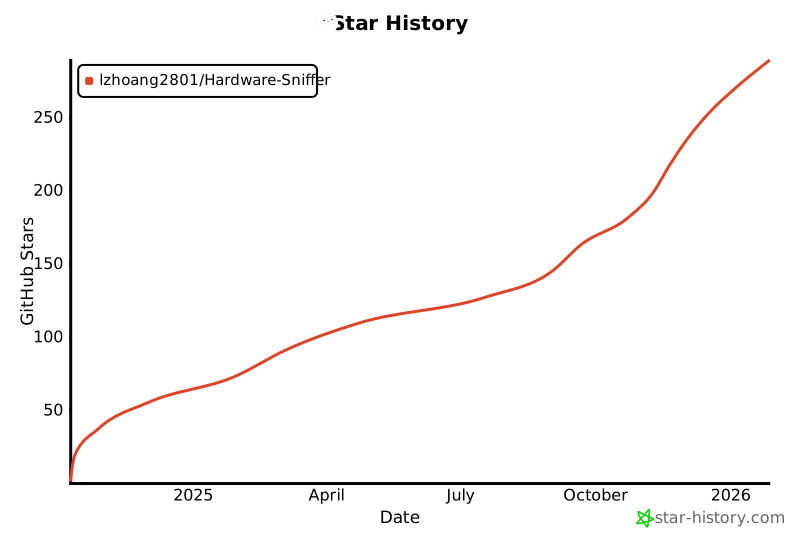](https://star-history.com/#lzhoang2801/Hardware-Sniffer&Date)
|